Cybersecurity Basics for SA Small Businesses
Learn essential cybersecurity tips for small businesses in SA to protect your data from phishing scams SA & cyber threats.
2026-07-06
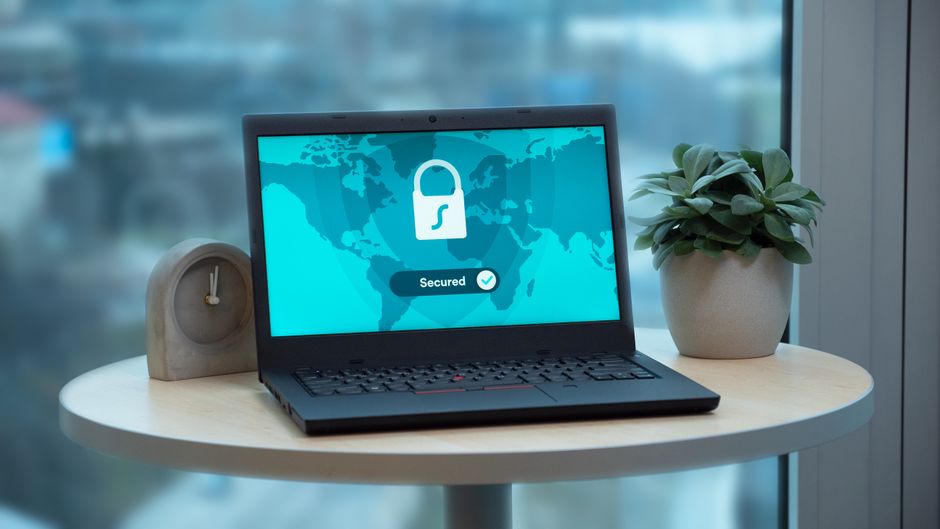
Cybersecurity Basics for Small Businesses in South Africa
In an era where digital interactions form the backbone of business operations, understanding cybersecurity basics is paramount for small businesses in South Africa. With cyber threats on the rise, safeguarding your enterprise against potential assaults is non-negotiable. This guide aims to enlighten small business owners on the essentials of cybersecurity, offering practical advice to protect business data in South Africa.
Understanding the Cybersecurity Landscape
Why Cybersecurity Matters for Small Businesses
In today’s digital economy, even the smallest businesses rely heavily on information technology to manage operations, engage with customers, and drive growth. Small businesses, however, often lack the resources of larger corporations, making them more susceptible to cybercriminal attacks. The increasing frequency and sophistication of cyber threats mean that no business is truly insulated from risk. Here’s why cybersecurity is crucial:
-
Financial Impact: The cost of a successful cyber attack can be devastating. From lost sales during downtime to the expense of restoring systems and data, the financial implications can be severe. In South Africa, where many small businesses operate on tight budgets, such losses can be the tipping point to bankruptcy.
-
Regulatory Compliance: Laws like the Protection of Personal Information Act (POPIA) require businesses to protect personal data. Non-compliance can lead to hefty fines and legal consequences, reinforcing the need for robust cybersecurity measures.
-
Reputational Damage: Trust is a cornerstone of customer relationships. A data breach erodes customer trust and can result in customer loss that's hard to recover from. In competitive markets, a tarnished reputation can hurt future growth and opportunities.
-
Operational Disruption: Cyber attacks can halt business operations, causing delays and losses. For small businesses dependent on daily transactions, even short disruptions can have significant repercussions.
Common Cyber Threats in South Africa
To craft effective defensive strategies, it's essential to identify common cyber threats prevalent in South Africa:
-
Phishing Scams SA: Cybercriminals exploit trust by disguising themselves as reputable organisations to steal sensitive information such as usernames, passwords, and bank details. In South Africa, businesses often receive emails purportedly from familiar institutions like banks or government agencies, alarming employees into divulging confidential information.
Example: A small retail business in Johannesburg received an email appearing to be from their bank's fraud department, warning about suspicious activity and asking for account details to resolve the issue. A lack of training led to an employee providing this information, resulting in a costly breach.
-
Ransomware: Attackers deploy malicious software that encrypts a business's data and demands a ransom, often in Rand or cryptocurrency, for its release. Many small businesses in South Africa have fallen victim to ransomware, which can cripple operations for days.
Example: A Cape Town-based graphic design company’s server was compromised, locking access to all client files. The business was forced to pay a ransom of R20,000 to regain access, not considering that paying doesn’t guarantee restoration of the files.
-
Malware: This software targets systems to disrupt, damage, or gain unauthorized access. Malware can arrive via email attachments, malicious websites, or infected USB drives.
Example: A Garden Route tourism company fell prey to malware introduced through a seemingly innocuous free software download. The malware slowly extracted client data over weeks, which was later used in targeted scams.
-
Insider Threats: Current or former employees with access to systems can pose significant risks if they misuse data or facilitate outside attacks.
Example: After being retrenched, a disgruntled former employee of a Durban logistics firm used their credentials to bypass security and sabotage the company’s logistics data.
Understanding these threats is the first step toward crafting a robust cybersecurity policy for your business.
Building a Strong Cybersecurity Framework
1. Develop a Cybersecurity Plan
Creating a comprehensive cybersecurity plan is crucial. Begin with a thorough assessment of your current IT environment and inventory your digital assets. This establishes an understanding of where sensitive data is stored and which systems require stronger protections.
-
Risk Assessment: Identify and analyse potential threats, vulnerabilities, and the impact of successful breaches. This could involve looking at how employees interact with digital systems and assessing technology used in your daily operations.
-
Policy Formation: Develop policies tailored to mitigate identified risks. These should include access controls, data protection procedures, and incident response plans. Engaging cybersecurity consultants, like Inkatech, provides expert guidance in tailoring these protections to your specific needs.
-
Resource Allocation: Allocate budget and resources effectively, ensuring there's always room for security updates, new technology acquisition, and employee training.
2. Employee Training and Awareness
Employees are your first line of defense against cyber threats. Regular training helps raise awareness and arm them with the knowledge to avoid common pitfalls:
-
Recognising Phishing Emails: Train employees to identify suspicious emails, emphasizing caution with links and attachments. Use interactive training tools to simulate phishing emails and test employee responses.
-
Safe Internet Practices: Educate on the dangers of unsecured websites, unsecured Wi-Fi networks, and sharing company resources on public forums.
-
Password Management: Stress the importance of strong, unique passwords, and the necessity of changing them regularly. Implement tools like password managers to aid in creating secure passwords.
-
Reporting Suspicious Activities: Encourage a culture of openness where employees feel comfortable reporting suspicious emails or activities. Immediate reporting can prevent a minor threat from escalating.
3. Implement Strong Password Protocols
Password security is a fundamental aspect of cybersecurity management. Implement comprehensive password protocols:
-
Complex Passwords: Enforce the creation of passwords that include letters, numbers, and symbols, avoiding easily guessed passwords like "12345" or "password".
-
Regular Updates: Require quarterly updates of passwords to minimize vulnerability from leaked credentials.
-
Two-Factor Authentication (2FA): Add an additional security layer by requiring a second verification step, ideally through a mobile device app or SMS, when logging into systems.
4. Regular Software Updates
Keeping all software, including operating systems and applications, updated closes security gaps that hackers might exploit:
-
Automate Updates: Enable automatic updates where possible to ensure timely installation of security patches.
-
Vulnerability Monitoring: Engage IT staff or external cybersecurity firms to monitor newly discovered vulnerabilities and ensure they’re addressed expediently.
-
Update Legacy Systems: Pay particular attention to older systems that may no longer be supported by the vendor, as these can become weak points in your network security.
5. Data Backup and Recovery Plan
A solid backup strategy is your safeguard against data loss:
-
Onsite and Cloud Backups: Use both physical backups at your business location and offsite cloud backups to ensure data redundancy.
-
Regular Testing: Conduct routine tests of backup systems to verify data integrity and recovery processes. Practice drills to prepare your team for real incidents.
-
Recovery Plan Documentation: Document all backup and recovery procedures, including contact lists and responsibilities, ensuring swift reimplementation in case of incidents.

Actionable Tips to Protect Business Data in South Africa
With foundational measures in place, here are practical steps for further fortifying your digital assets:
Use of Firewalls and Antivirus Software
Install robust firewall solutions and antivirus software to monitor and protect against unauthorized access and malicious attacks. Ensure software is always up-to-date to guard against the latest threats.
-
Hardware and Software Solutions: Use a mix of hardware firewalls for perimeter defense and software-based solutions for individual devices.
-
Real-Time Monitoring: Select antivirus software offering real-time scanning capabilities for instant identification and response to threats.
Encrypt Sensitive Data
Encryption is essential for safeguarding sensitive information from unauthorized access:
-
Data at Rest and in Transit: Encrypt data stored on devices and as it travels over the internet using protocols such as SSL for websites and VPNs for remote connections.
-
Customer Information: Implement encryption for customer payment details and personal information to comply with privacy laws and protect from breaches.
Secure Wi-Fi Networks
Securing Wi-Fi networks prevents unauthorized access and helps track legitimate user activity:
-
Guest Networks: Create separate guest Wi-Fi networks to prevent visitors from accessing business-critical systems.
-
Use of WPA3: Implement WPA3 encryption for superior security over older WPA2 configurations. Maintain robust network passwords and change them regularly.
Conduct Regular Security Audits
Routine audits are crucial for identifying weaknesses and ensuring strategies remain effective:
-
Bi-Annual Audits: Conduct comprehensive security audits twice a year with a mixed internal and external team approach to provide fresh perspectives.
-
Audit Trails: Keep detailed records of access logs and incident reports to understand past incidents and prevent future recurrences.
-
Response and Learning: Use insights gained from audits to update strategies and training programs continuously.
FAQ Section
-
What are the main cybersecurity threats to small businesses in South Africa?
- Small businesses primarily face risks from phishing scams SA, malware, ransomware, and insider threats.
-
How can I protect my small business from cyber attacks?
- Develop a cybersecurity plan, train employees, use strong passwords, regularly update software, and backup data.
-
Why are small businesses in South Africa targeted by cybercriminals?
- Many small businesses lack robust cybersecurity measures, making them easy targets for attackers.
-
What is the cost of implementing basic cybersecurity measures in South Africa?
- Costs can vary, but businesses can expect to invest at least R5,000 to R10,000 for basic systems, including software and training.
-
How often should we conduct security audits?
- Conduct security audits bi-annually or with significant changes to your IT systems.
Conclusion
Protecting your business from cyber threats is not just an IT issue—it’s a critical business need. Small businesses in South Africa can no longer afford to overlook cybersecurity. Taking steps today can save your business in the future. For expert help tailored to your needs, contact Inkatech for a free consultation and let our expertise become your shield against digital threats.
Don't just read about it
Need secure IT for your business? We build it.
From secure websites to safe email and backups — we harden small businesses against scams.
from R1,800 · once-off · live in 7 days
Prefer email? nkanyiso@inkatech.co.za · patricia@inkatech.co.za
Keep reading
More guides for your business

How Much Does a Website Cost in South Africa in 2026?
Explore website costs in South Africa for 2026. Discover pricing, factors affecting cost, and how to get a professional website.
Read article →
Website vs Facebook Page: Why Your South African Business Needs Both
Explore why your South African business needs both a website and a Facebook page for optimal online presence.
Read article →